


Antistress Games: Calm&Relax
4.3106.00 Reviews
App Specs
- Version
- 1.4.9
- Updated On
- License
- Free
- Downloads
- 10,000,000+
- Developer
- Happy Go Game
- Categories
- Arcade
- Platform
- Android
Screenshots
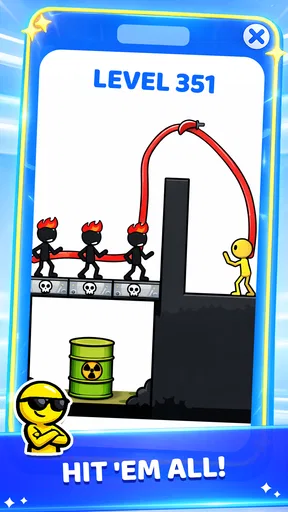

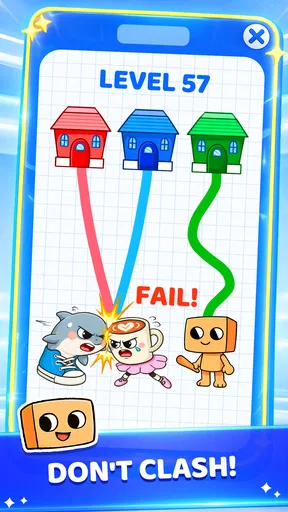
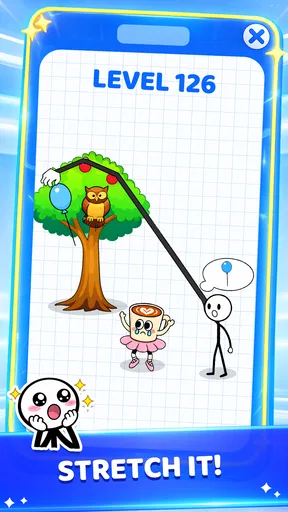
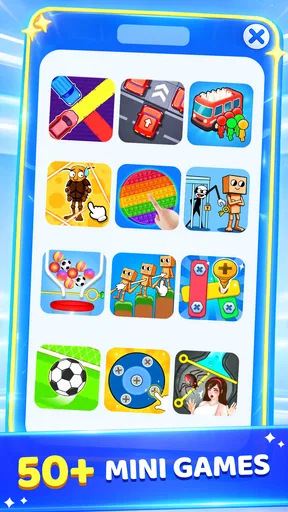
 Analysis by AppCompare
I reached for Antistress Games: Calm&Relax on a noisy evening when I wanted something to do with my hands without committing to a full game. That first session helped me understand its appeal: this is a free arcade game from Happy Go Game built around short, calming interactions rather than a long campaign, competitive ladder, or demanding story. It fits the moment when you want a small mental reset and would rather tap, swipe, and experiment than watch another video.
The idea is simple, but the useful question is whether a collection of relaxing mini-games can become part of everyday life instead of being opened once and forgotten. After spending time with it, I think it works best as a shared, low-pressure phone activity. One person can pass the device to someone else, a child can explore it under an adult’s guidance, or I can use it alone for a few minutes between tasks. Its strength is convenience. Its weakness is that the same casual design may feel shallow if I am looking for a deeper arcade challenge.
How it feels when several people share one phone
The most natural household scenario is a short handoff. Imagine waiting for food, sitting beside a child during a quiet break, or trying to settle down after a busy day. Instead of starting a game that needs a profile, a tutorial, or a long uninterrupted round, I can open this one and let the next person try an activity almost immediately. That makes it more approachable than many conventional arcade games, where losing quickly or learning complicated controls can spoil the mood.
Shared-device use also changes how I judge the game. I am not only asking whether the interactions are satisfying for me; I am asking whether another person can understand what to do without taking over the entire session. The calm presentation helps here. The game’s purpose is relaxation, so there is less pressure to prove who is better. A child may enjoy discovering an interaction, while an adult may simply appreciate the repetitive motion as a brief distraction.
Still, I would not treat it as a true multiplayer game. Passing the phone around is a social habit, not the same thing as synchronized play, shared progress, or a competitive mode. If your household wants a game where two people make decisions together at the same time, a dedicated multiplayer title is a better fit. This collection is more like a digital activity box: one person tries something, then another person takes a turn.
That distinction matters because it prevents a common disappointment. The game is useful for coordination in the everyday sense—deciding who gets the phone, choosing a relaxing activity, and keeping sessions short—but it should not be chosen for team objectives or a persistent family challenge. I found the experience most pleasant when nobody expected a winner.
What I would do before handing over the device
My practical routine is to open the game first, check that it is ready, and then offer the phone with a clear limit such as “try this for a few minutes.” That small boundary makes a difference with shared devices. Without it, a relaxing break can quietly become a longer screen session, especially when someone keeps searching for another activity.
Worth Reading Before You Choose

EA SPORTS FC Mobile 26 Is a Bigger Football Game, but It Takes Time

Flipboard Shows What News Apps Must Do Beyond the Feed

Switching to Android Auto Means Rethinking Your Driving Routine

Google Calendar Makes a Crowded Week Easier to Manage

Ludo King Makes the Most of the Minutes Between Plans

Baby Panda World Brings Quick Play to Modern Phones, but Its Game Library Feels Busy
I would also keep the device’s normal privacy habits in mind. A shared phone may contain messages, photos, payment apps, or work information, and a calming arcade game does not change that. I would hand over an unlocked device only when I am comfortable doing so, and I would stay nearby with younger users. This is not a criticism of the game; it is simply sensible coordination for any app used on a personal phone.
Another useful boundary is sound. In a quiet room, the phone’s audio can affect everyone nearby, while in a waiting area it may be distracting. I prefer to begin with the device volume low and let the other person decide whether audio adds anything. The relaxing purpose does not require a loud presentation, and a silent session is often easier to fit into a household routine.
Because the game is free, it is easy to try without making a purchase decision first. There are in-app purchases priced from $0.99 to $1.99 per item, so I would explain that clearly before allowing a child to explore independently. I would not assume that “free” means every part of the experience is outside the purchase flow. On a shared device, the account owner should remain responsible for any buying decisions.
Keeping accounts and progress from becoming confusing
One of the less obvious trade-offs of a shared phone is that the game may be experienced by several people while the device still belongs to one account holder. I would not promise each family member a separate identity or separate progress unless the app itself visibly provides that option. The safer approach is to think of the installation as a common activity space, not as a collection of personal profiles.
That matters when one person wants a clean, private sense of progress and another person wants to experiment. If the game records anything locally or connects activity to the device’s normal account environment, casual use by other household members could make the experience feel mixed together. I would therefore avoid treating the app as a personal achievement project when several people use the same phone.
For a child, I would make the rule even clearer: exploring is fine, but purchases and account changes belong to the adult. The title is rated Everyone, which makes it approachable for a broad age range, but an age rating is not a substitute for supervision or a conversation about responsible device use. Younger children may understand the interactions quickly while still needing help with the phone itself.
For older children and teenagers, the issue is less about basic access and more about expectations. They may find the app pleasant as a short break, but they could outgrow it if they want increasingly difficult goals, competition, or a strong sense of progression. I would present it as one option for unwinding, not as the main game on the device.
Everyday use, comfort, and the limits of a calming arcade collection
My favorite use case is the transition between activities. After finishing work, I sometimes want a buffer before moving on to dinner or household tasks. A short session gives my attention somewhere harmless to go without demanding the concentration of a puzzle campaign. The same applies to a brief wait in a lobby or a quiet moment while someone else is getting ready. The game earns its place through low commitment.
That low commitment is also why I would not compare it directly with a meditation app. Meditation tools usually guide breathing, timing, or focused attention. This game offers interaction instead. If I need structured relaxation, sleep guidance, or a deliberate mindfulness routine, I would choose a dedicated wellness app. If I want tactile distraction and a little playful movement, this is more suitable.
It also differs from a standard arcade game. Traditional arcade design often depends on speed, failure, score chasing, and repeated attempts to improve. Here, the calming angle changes the reason for playing. I am less interested in beating an earlier result and more interested in finding an interaction that feels satisfying for a moment. That makes the game friendlier to tired users, but it can reduce the excitement for players who need a strong challenge.
The best way to use it is to choose a purpose before opening it. If I am restless, I use it as a tactile diversion. If I am with someone else, I choose an activity that is easy to explain and pass around. If I am already overstimulated, I keep the session quiet and brief. This simple intention prevents the app from becoming another endless source of scrolling.
I also found that the collection format has a hidden advantage: it lets the user stop after a small interaction without feeling that a larger game has been interrupted. In a level-based title, quitting halfway through can feel inconvenient. With a set of short activities, stopping is part of the design from the user’s point of view. That makes it particularly practical on a device shared by people with different schedules.
The limitation is variety over time. A collection can feel fresh at first because each activity offers a different kind of small distraction, but the novelty may fade faster than it would in a game with a campaign, unlockable systems, or a strong skill curve. I would not install it expecting months of personal progression. I would install it as a dependable “something light” option.
What the technical details mean in daily use
The game launched on August 18, 2023, and the current version is 1.4.9. It supports devices running Android 7.0 or later, which gives it a fairly practical place on older household phones that may not handle demanding modern games comfortably. I still recommend checking the device experience after installation, especially on a phone used by several people, because comfort depends on the screen, responsiveness, and battery condition as much as on the minimum operating-system requirement.
The store categorizes it as an arcade game, but the “calm” part should guide expectations more than the label alone. I would not choose it for reflex training or high-score competition. Its appeal is the combination of arcade-like interaction and a softer reason to play. That combination is unusual enough to make it worth trying, particularly for people who find ordinary arcade games too intense.
Its average rating is 4.4 from around 32 thousand ratings, and the game has passed 10 million installs. Those figures suggest that the concept has reached a large audience, but they do not remove the personal question of fit. A popular relaxing game can still feel repetitive to someone who wants clear goals. I use those signals as encouragement to try it, not as proof that every household member will enjoy it equally.
The game is free to install and is marked for Everyone, which lowers the barrier for a family trial. The purchase range is small on paper, but even small purchases deserve a boundary when a phone is shared. I would review the device’s purchase protections separately and avoid letting a child explore payment prompts alone. That is a household rule I would apply consistently, regardless of whether the app costs less than a snack.
Who should choose it, and who should skip it
I would recommend it to someone who likes gentle, self-contained arcade interactions and wants a quick way to occupy their hands. It is a good candidate for a shared tablet or phone used during quiet family moments, provided the owner manages access and purchases. It also suits people who dislike games that punish mistakes or force them into long sessions before they can stop.
It is less suitable for a player who wants a ranked community, a story, deep customization, or a reliable long-term challenge. It is also not my first choice for someone seeking clinical stress support, sleep coaching, or a structured relaxation program. The game can help create a calmer pause, but I would not confuse that with treatment or with a complete wellness routine.
Parents should consider the child’s habits rather than relying only on the Everyone label. A younger user may enjoy the accessible format, but an adult should still establish when the phone can be used and who handles purchases. For a teenager, I would frame it as a short decompression tool and watch for whether it genuinely helps them transition away from stress or simply extends screen time.
For couples, roommates, or siblings, the main question is whether they enjoy taking turns. If yes, the game can become a pleasant little ritual: one person chooses an activity, the other tries it, and the phone goes back to its owner. If they want simultaneous cooperation, personal accounts, or measurable competition, I would look elsewhere rather than forcing this app into a role it was not designed to fill.
My household verdict
After using it as both a personal break and a shared-device activity, I see Antistress Games: Calm&Relax as a convenient arcade collection with a clear emotional purpose. It does not need to dominate the phone to be useful. Its value comes from being easy to pick up, easy to put down, and approachable enough for different people in the same household.
The most important setup decision is not a game setting; it is agreeing on boundaries. Decide who owns the account, who can make purchases, how long a shared turn lasts, and whether the device should be used with sound. Those simple choices prevent most of the friction that can appear when a casual game becomes a household activity.
I like that the free entry point makes a trial uncomplicated, while the age rating and modest requirements make it accessible to many users. I also appreciate that it does not demand a serious commitment from someone who only has a few minutes. At the same time, I would keep expectations realistic: the relaxation comes from brief interactive distraction, not from a deep progression system or a complete mindfulness method.
My final recommendation is straightforward. Install it if you want a gentle arcade option for short breaks, especially on a device that may be passed between family members. Use it with clear account and purchase boundaries, and treat it as a small tool for unwinding rather than a solution to every kind of stress. Its best quality is the freedom to stop whenever the moment is over. If that is exactly what you want, Happy Go Game’s collection is an easy one to try; if you need challenge, competition, or structured wellness guidance, another category will serve you better.
Pros
- Simple mini-games are easy to learn without instructions.
- Relaxing visuals and sounds create a pleasant
- low-pressure experience.
- Works well for short breaks or quick stress-relief sessions.
- Suitable for users who prefer casual games without competition.
- Progress is generally accessible without demanding gaming skills.
Cons
- Some activities may feel repetitive after extended play.
- Certain features or content may require in-app purchases.
- Ads can interrupt the relaxing experience in the free version.
- The calming effect may vary depending on personal preferences.
- Limited depth may disappoint users seeking a more complete game.
FAQs for Antistress Games: Calm&Relax
What is Antistress Games: Calm&Relax?
Antistress Games: Calm&Relax is a casual mobile app designed to provide short, relaxing activities for moments when you need to unwind. It brings together simple interactions and calming mini-games that can be played without a steep learning curve. The overall experience is focused on distraction, relaxation, and stress relief rather than competition, complex objectives, or demanding progression systems.
How does Antistress Games: Calm&Relax help with relaxation?
The app uses repetitive, low-pressure interactions that may help you take your mind off daily worries for a few minutes. Its activities are generally easy to understand, allowing you to focus on tapping, manipulating, or completing simple tasks at your own pace. While it can be a pleasant relaxation tool, it should not be considered a medical treatment or a replacement for professional help when dealing with serious stress or anxiety.
Is Antistress Games: Calm&Relax free to download and use?
Antistress Games: Calm&Relax can typically be downloaded for free, although the exact availability of features may depend on the version installed and the platform you use. Free apps of this type may include advertising, optional purchases, or locked content that becomes available through payment. Before downloading, it is worth checking the current store listing for pricing, subscriptions, advertisements, and any in-app purchase details.
Can I play Antistress Games: Calm&Relax offline?
Many of the app’s simple relaxation activities may work without a continuous internet connection once the application has been installed. However, some functions can still require internet access, including advertisements, analytics, updates, cloud-related features, or unlocking content through the app store. If offline use is important to you, test the application in airplane mode after installation and review the developer’s current description for platform-specific limitations.
Is Antistress Games: Calm&Relax suitable for children?
The straightforward gameplay and non-competitive design may make Antistress Games: Calm&Relax appealing to children, but suitability depends on the child’s age and the content included in the particular version. Parents should review the app-store age rating, privacy information, advertisements, and in-app purchase settings before allowing independent use. It is also advisable to supervise younger users, especially if the device is connected to a payment account.


